WebApp
Digital Product
Fireplace Configurator: Balancing Business Costs with Engineering Logic
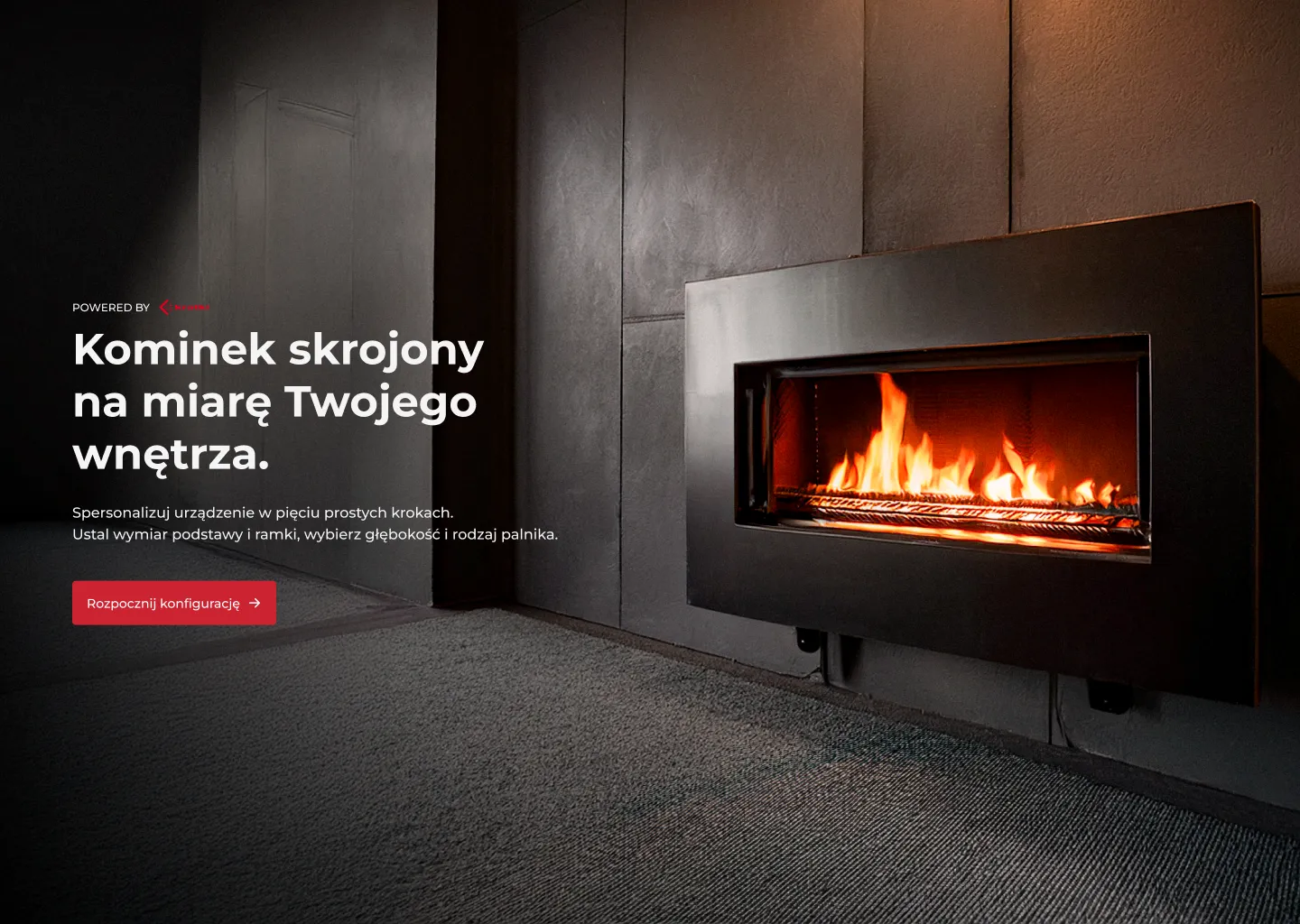
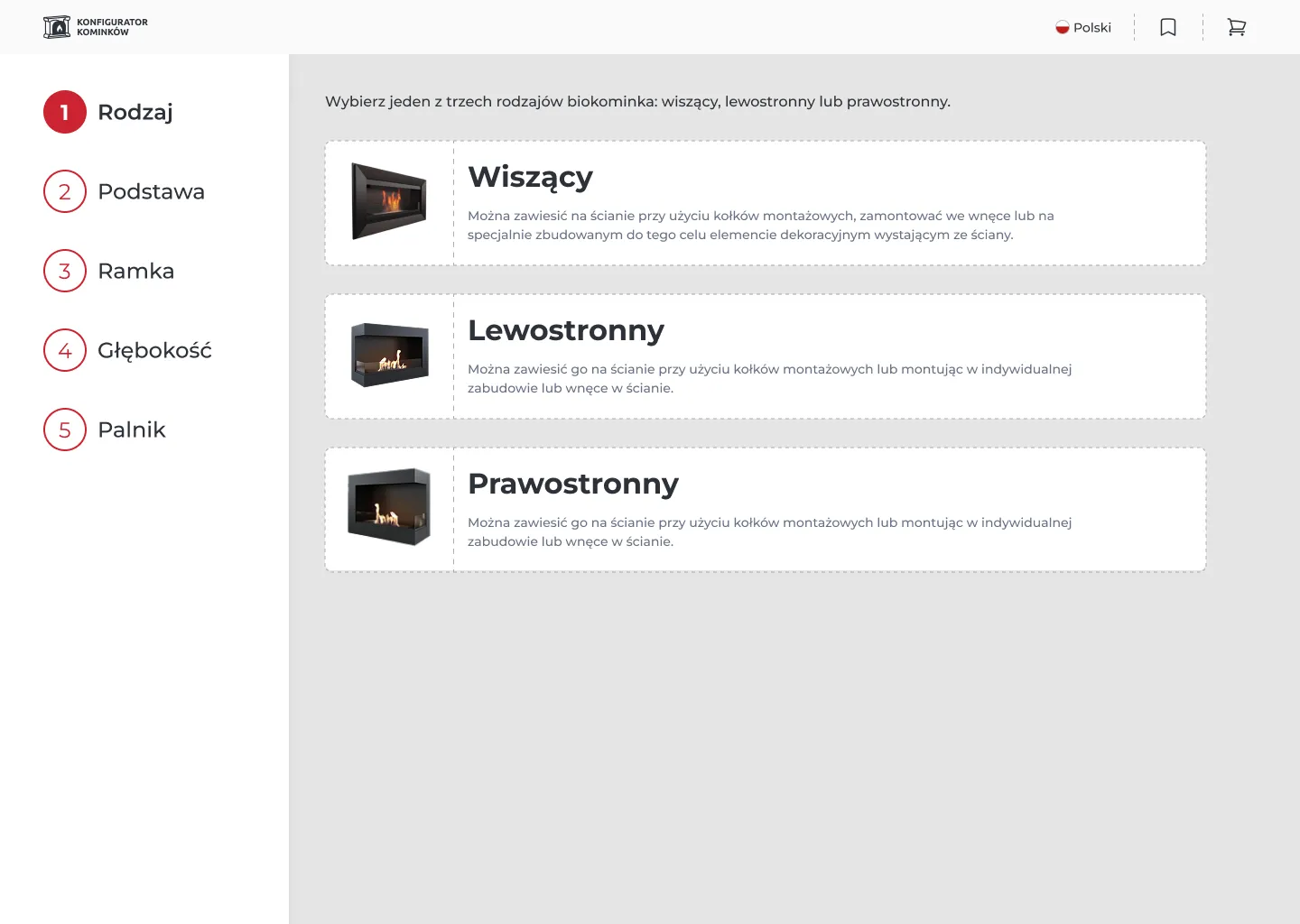
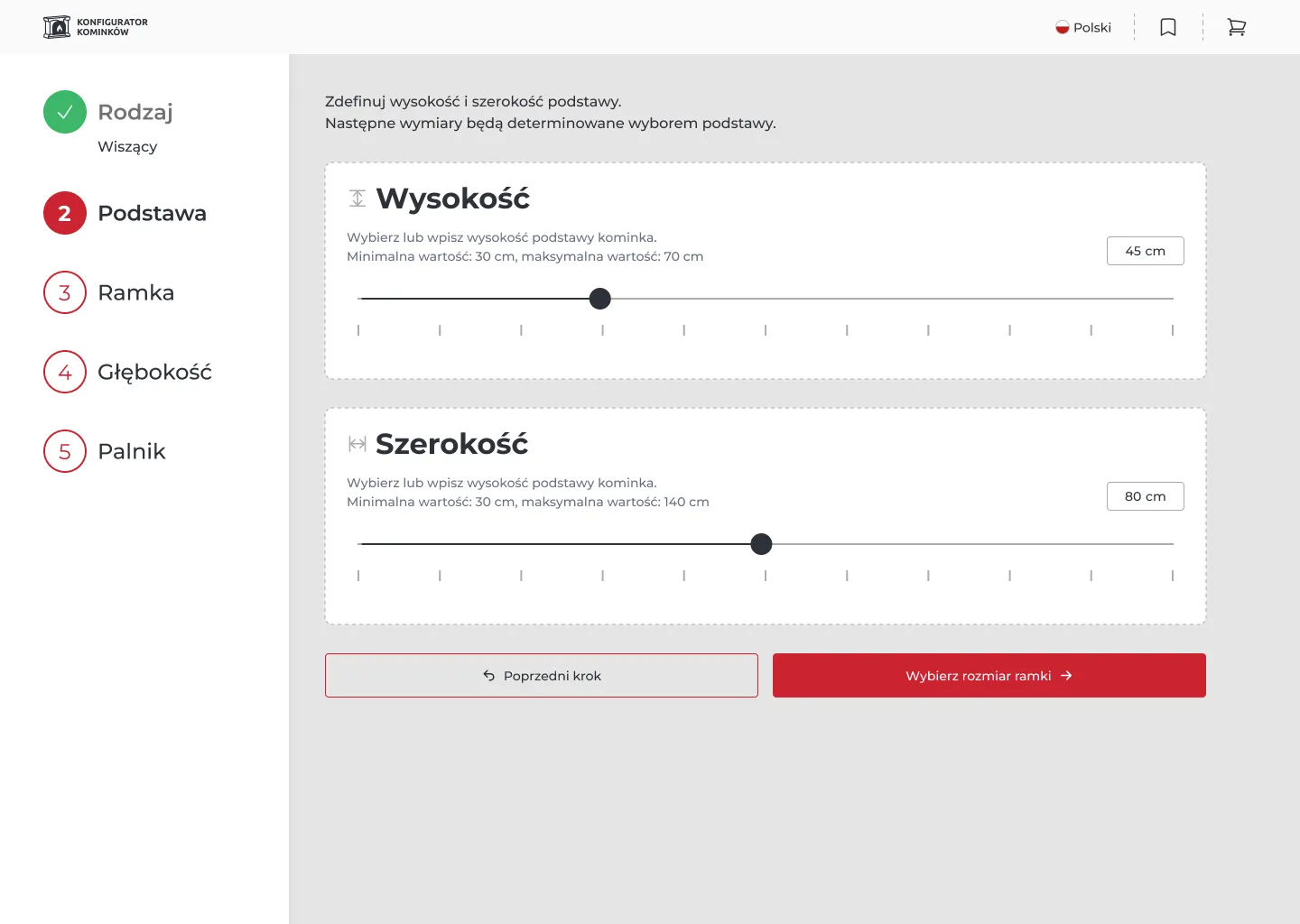
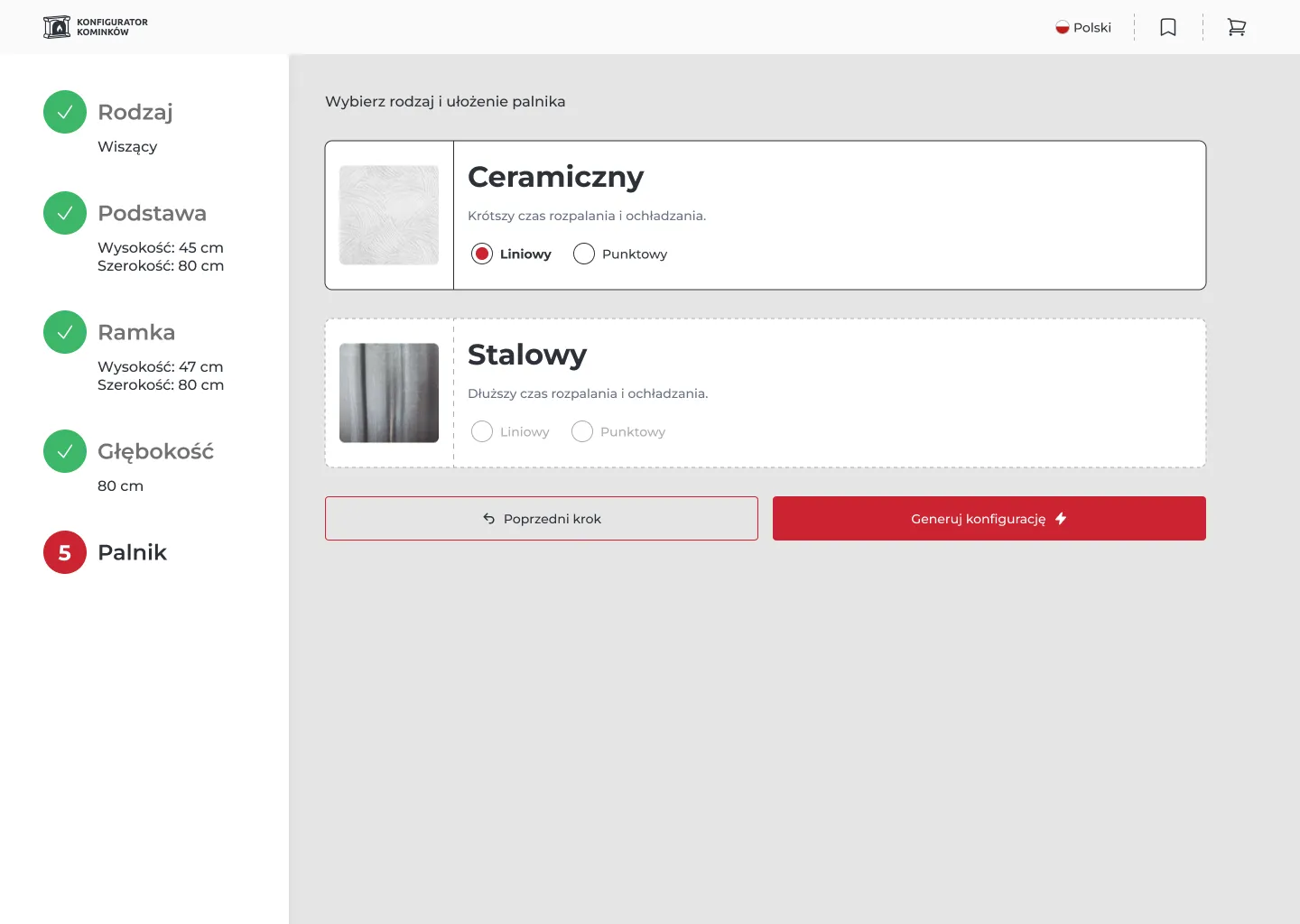
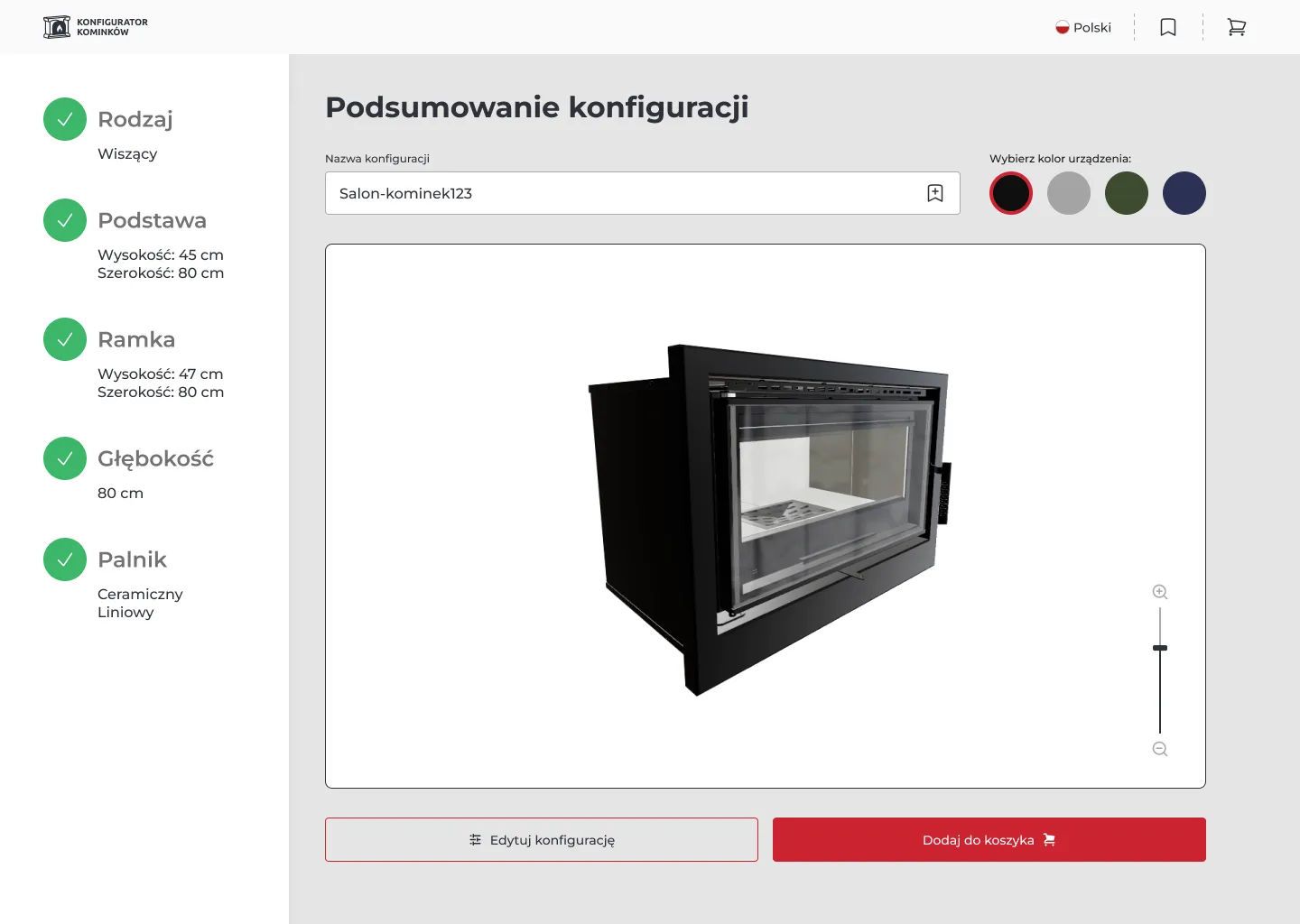
The goal was to create a 3D fireplace configurator that allows users to customize products for their specific space while ensuring technical feasibility and strict cost control.
Market Context
Tightening EU emission regulations on solid-fuel fireplaces drove a surge in demand for "chimney-less" bio-ethanol solutions. This project addresses that gap, providing a low-maintenance, supplemental heating alternative for modern apartments where traditional chimney infrastructure is restricted.
Discovery: Audience & Insights
By analyzing thousands of customer inquiries, I identified the core audience: high-net-worth males (35–65) and architectural partners.
Data Sources:
Customer inquiries (sales/support emails)
Internal consultations with architects
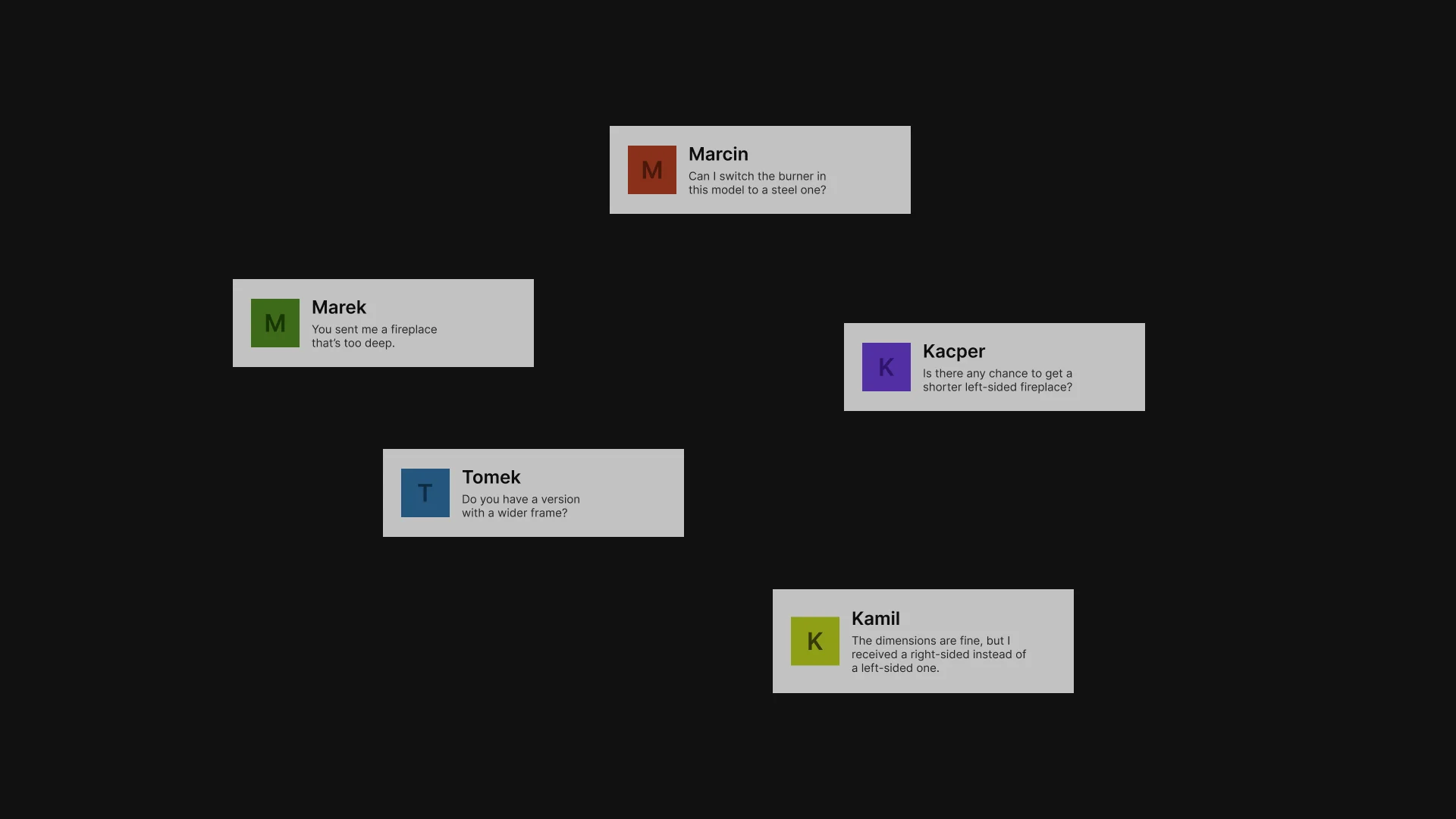
Users frequently asked whether specific dimensions were technically feasible
Many users struggled to understand dependencies between parameters (e.g. frame vs depth)
Users expected quick validation instead of manual back-and-forth with sales
Decision-making was often delayed due to uncertainty
This group values efficiency over exploration. Instead of a "toy-like" interface, they expect a precise engineering tool that provides technical certainty.
A minimalist UI designed to build trust and reflect the premium nature of the product while maintaining professional clarity.
Competitive Analysis: Product Configurators
Analysis of existing product configurators revealed two dominant interaction patterns: linear step-by-step flows and real-time (live preview) configurators.
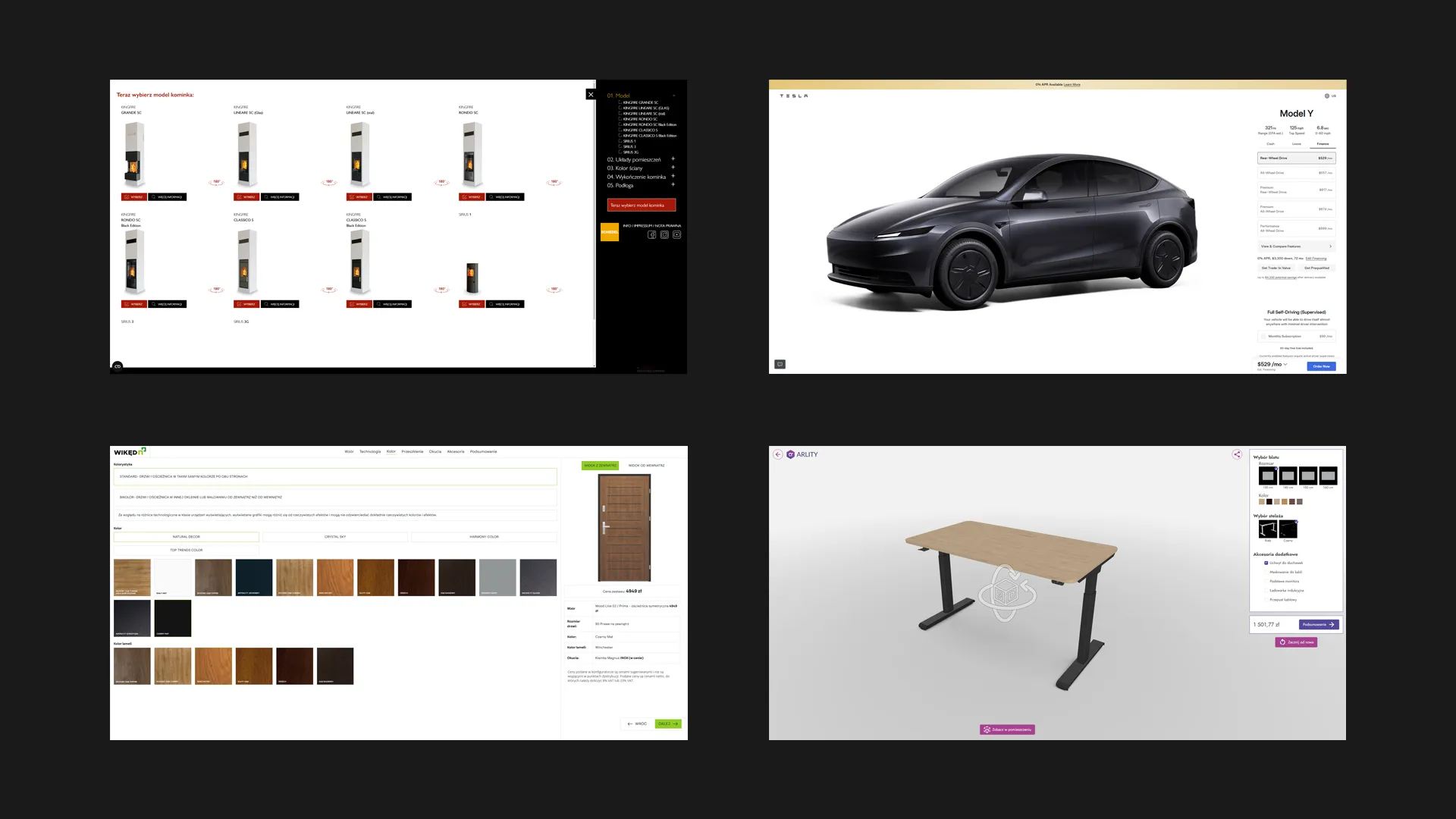
Guide users through a predefined sequence of decisions
Reduce cognitive load by limiting visible options at each step
Problem:
Linear configurators are restrictive and make it harder to understand the full configuration context.
Allow users to freely adjust parameters with immediate visual feedback
Provide a stronger sense of control and customization
Problem:
Real-time updates often introduce performance delays and unclear constraints, especially when complex dependencies are involved.
A high number of configurable options often leads to decision overwhelm.
Users struggle to understand which combinations are valid.
In live preview systems, response time impacts user confidence and flow continuity
Identifying Challenges
Traditional "all-at-once" configurators often lead to decision paralysis for the customer.
Real-time previews for every minor change were economically unsustainable.
Different products require different processes (e.g., freestanding vs. built-in models).
The Technical Challenge: The project uses the Autodesk Forge API. Every API call (generating a 3D model) involves a fee and processing time. My task was to design an experience that minimizes these costs without sacrificing UX quality.
Strategic Decisions: Scoping & Selection
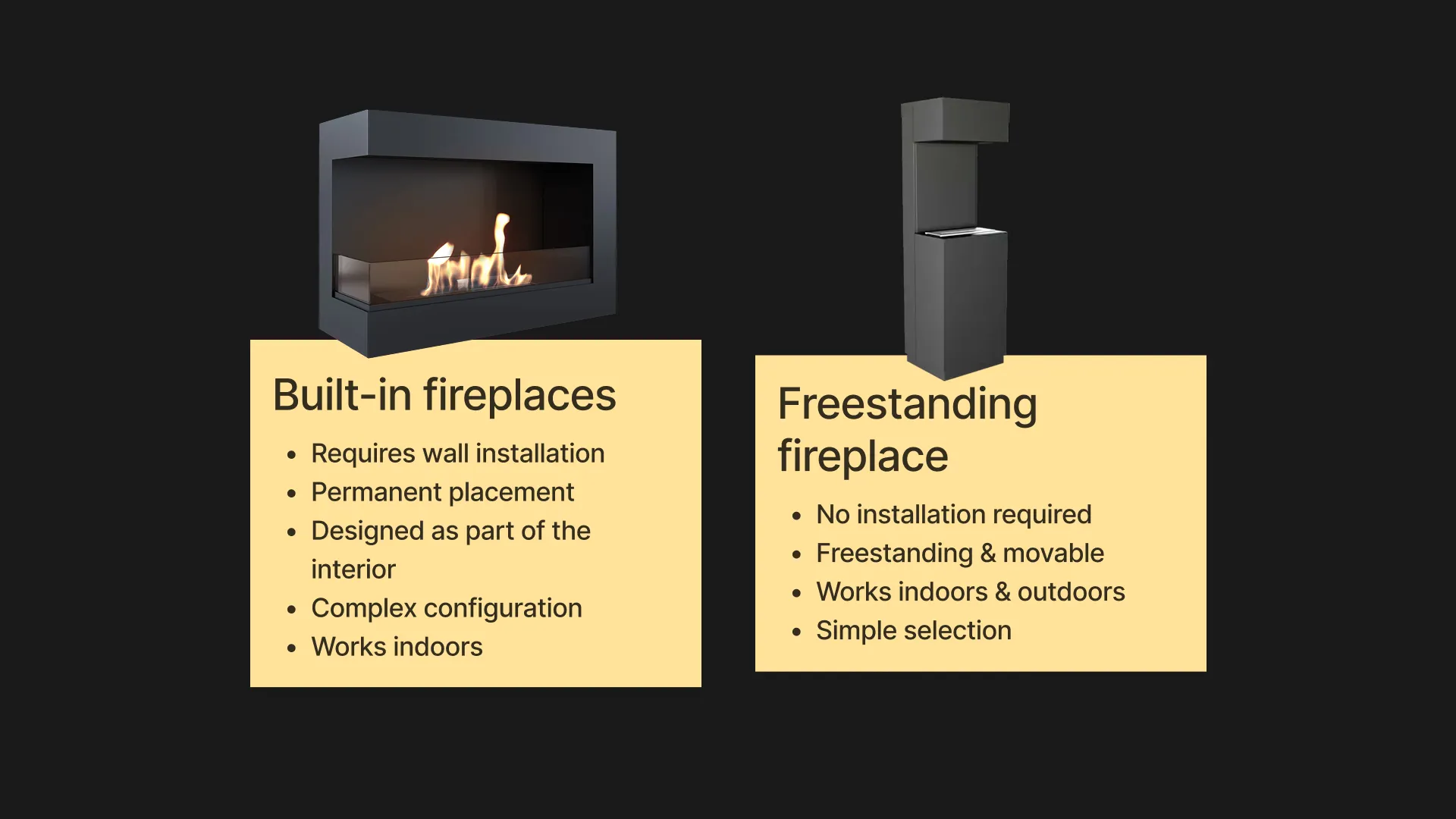
I decided to limit the scope exclusively to built-in fireplaces.
Why? Freestanding fireplaces are "Plug & Play" products, they don't require complex configuration because they don't interfere with the building's structure.
High Value: Built-in models (Hanging, Left-sided, Right-sided) require precise wall openings. This is where the configurator solves a real user problem and reduces the risk of incorrect orders.
The 5-Step Engineering Logic
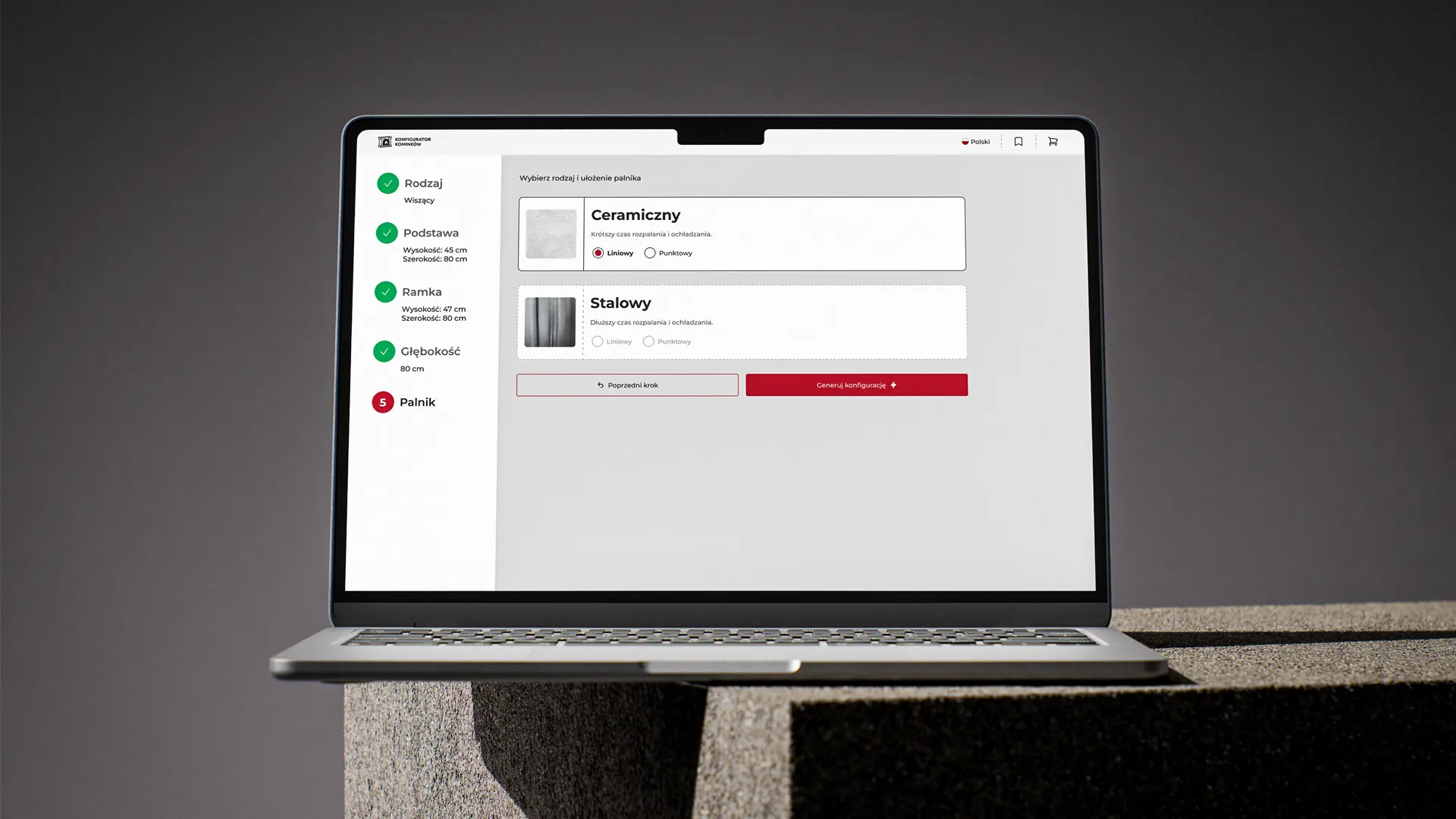
In close collaboration with the engineering team, I developed a 5-step configuration chain. This approach ensures that the system is fully aligned with technical reality, showing users only what is actually possible to build.
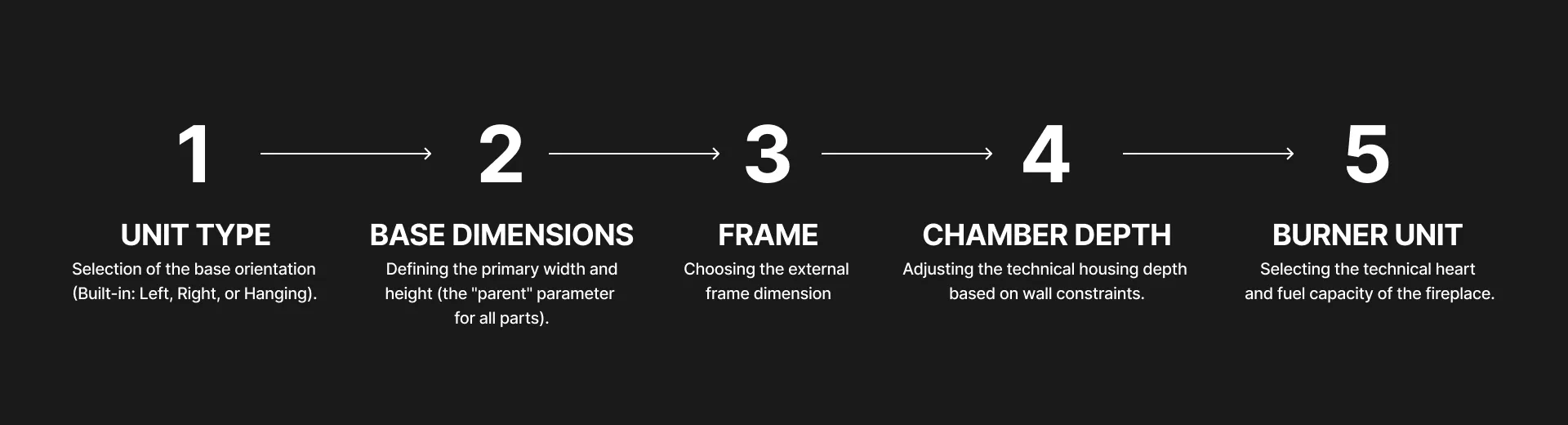
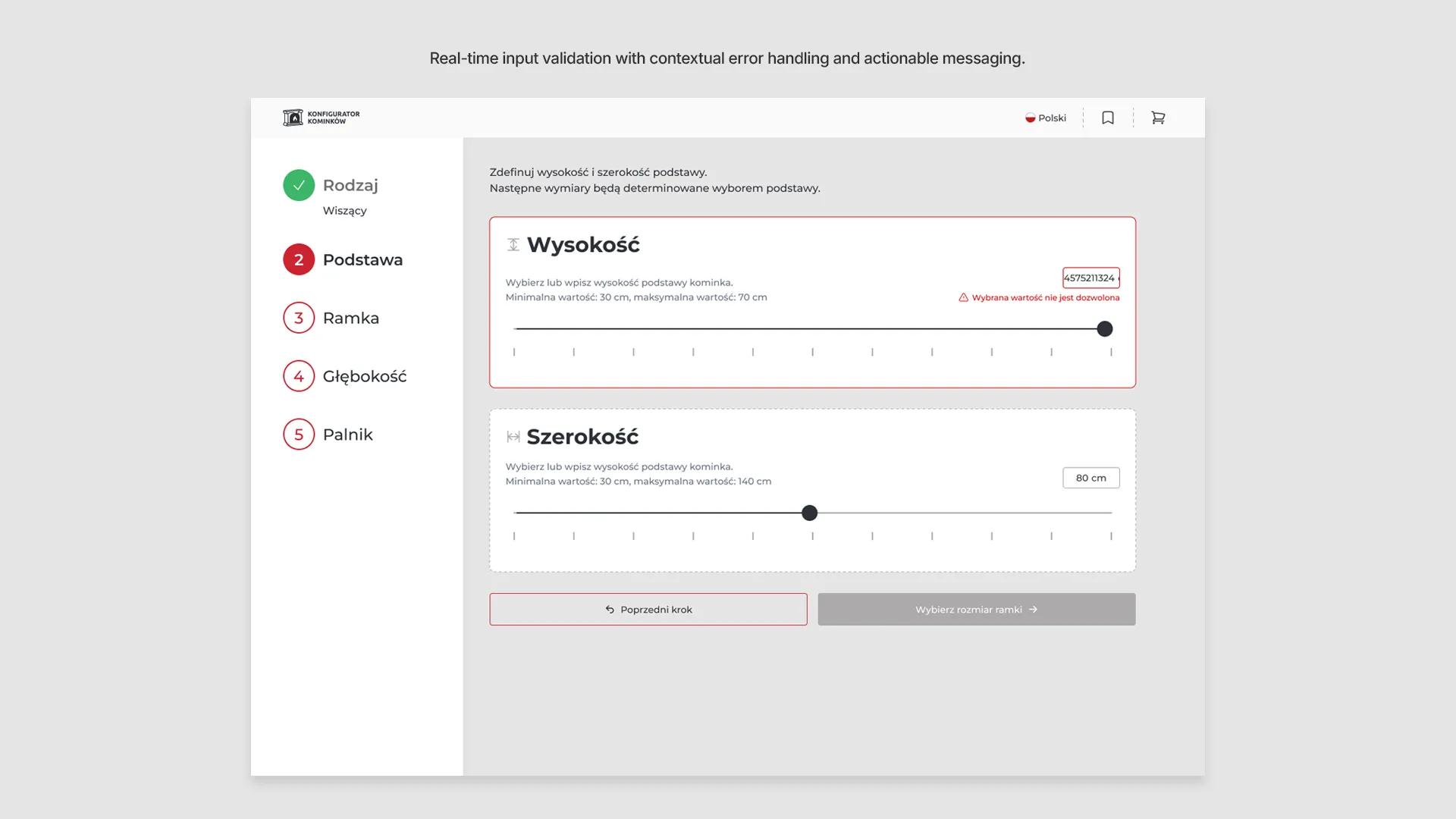
By embedding these constraints directly into the UI, we minimize configuration errors. Users are guided through a path where every choice is technically validated in real-time.
Early Wireframes
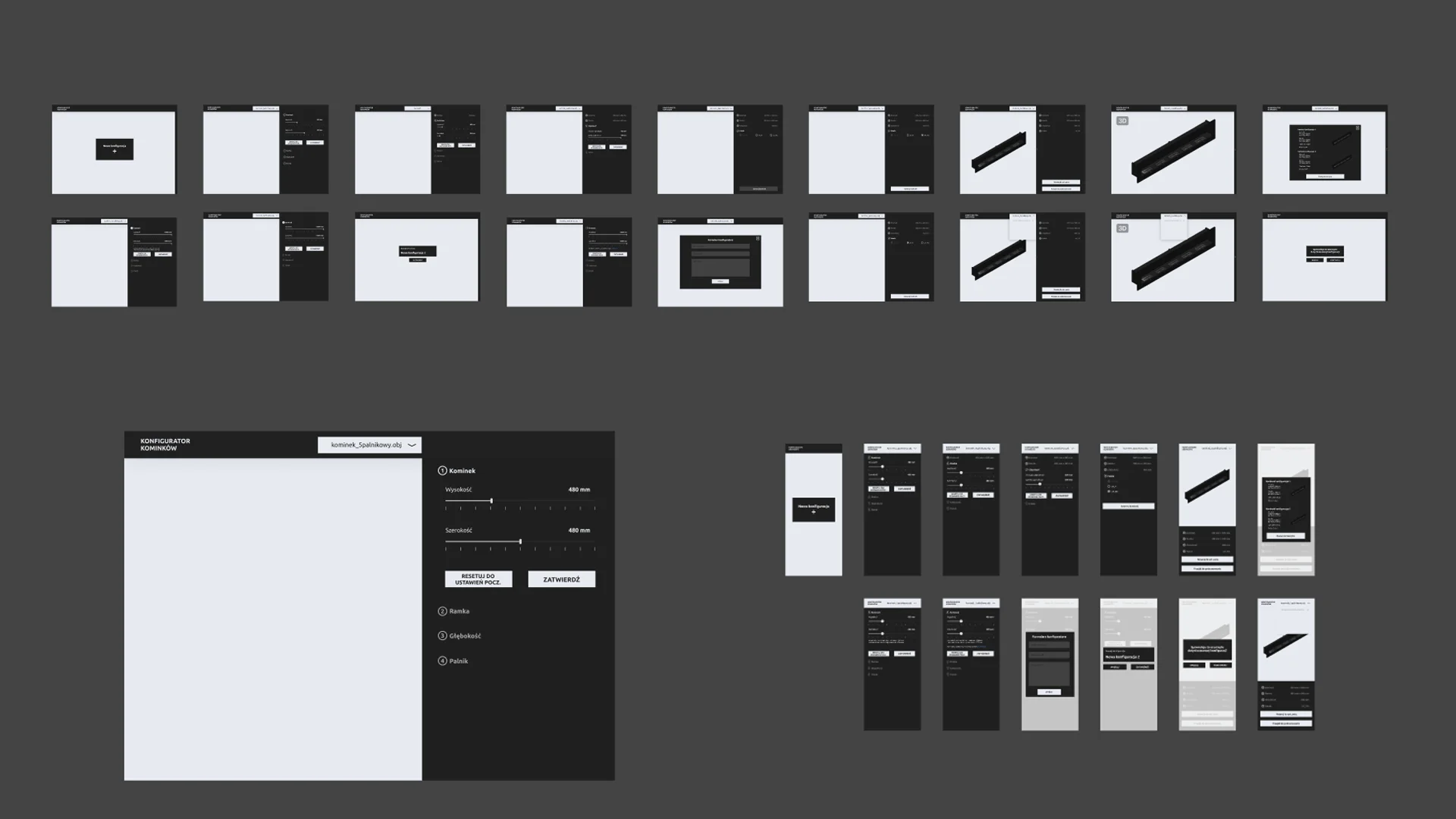
I initially explored a side-panel layout, aiming for a classic real-time preview experience. However, early prototyping and technical consultations quickly revealed that API latency and token-based costs would make instant visual feedback impossible. Instead of forcing a broken user experience, I used these wireframes to "fail fast." This phase was the turning point that led to our pivot toward the 5-step Wizard, ensuring the interface remained honest about the system's status and technical constraints.
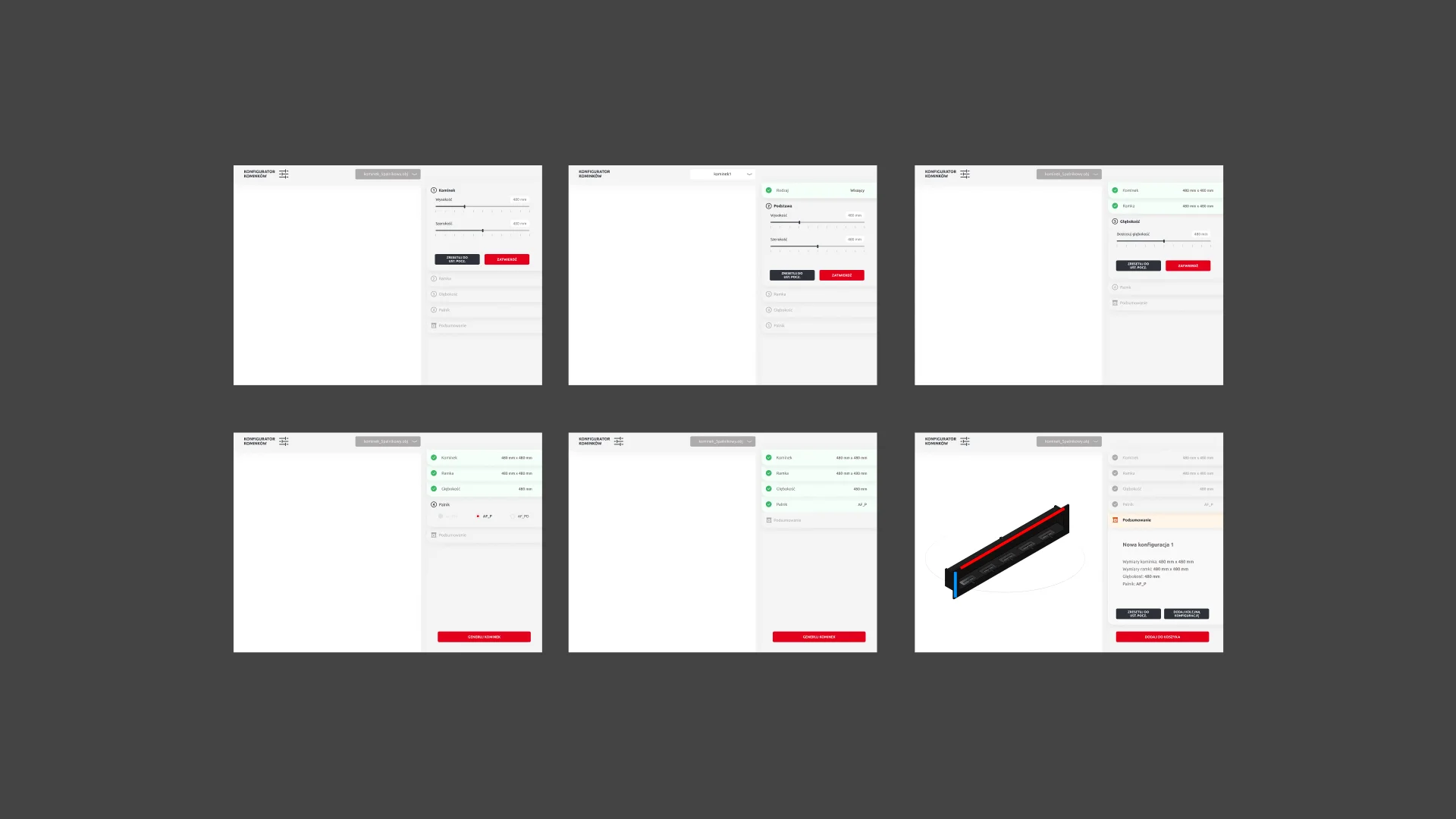
Iteration & Pivot: From Sidebar to Wizard
The initial design featured a classic side panel with a live preview. However, usability testing revealed a critical UX flaw:
Rejected concept
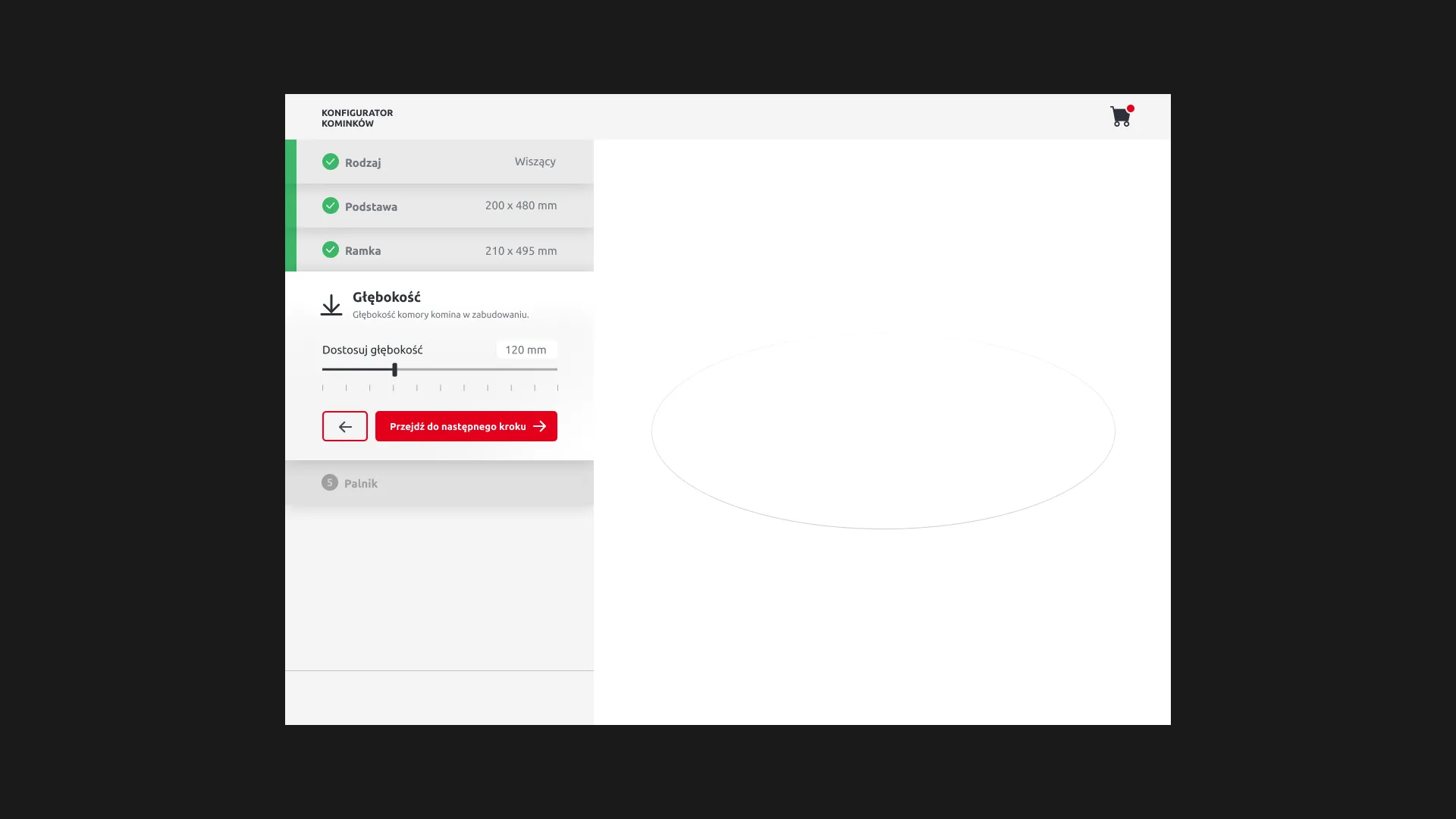
Several users abandoned the process at the frame/depth stage due to lack of feedback.
Users frequently paused after selecting parameters, unsure if their configuration was valid.
Configuration Success: Standard Process
Informal office testing (n=12) — directional signal, not statistically significant.
Approved concept
Users moved forward confidently thanks to clear, step-by-step guidance.
No mid-flow abandonment was observed during wizard-based testing.
Real-time feedback reduced reliance on trial-and-error behavior.
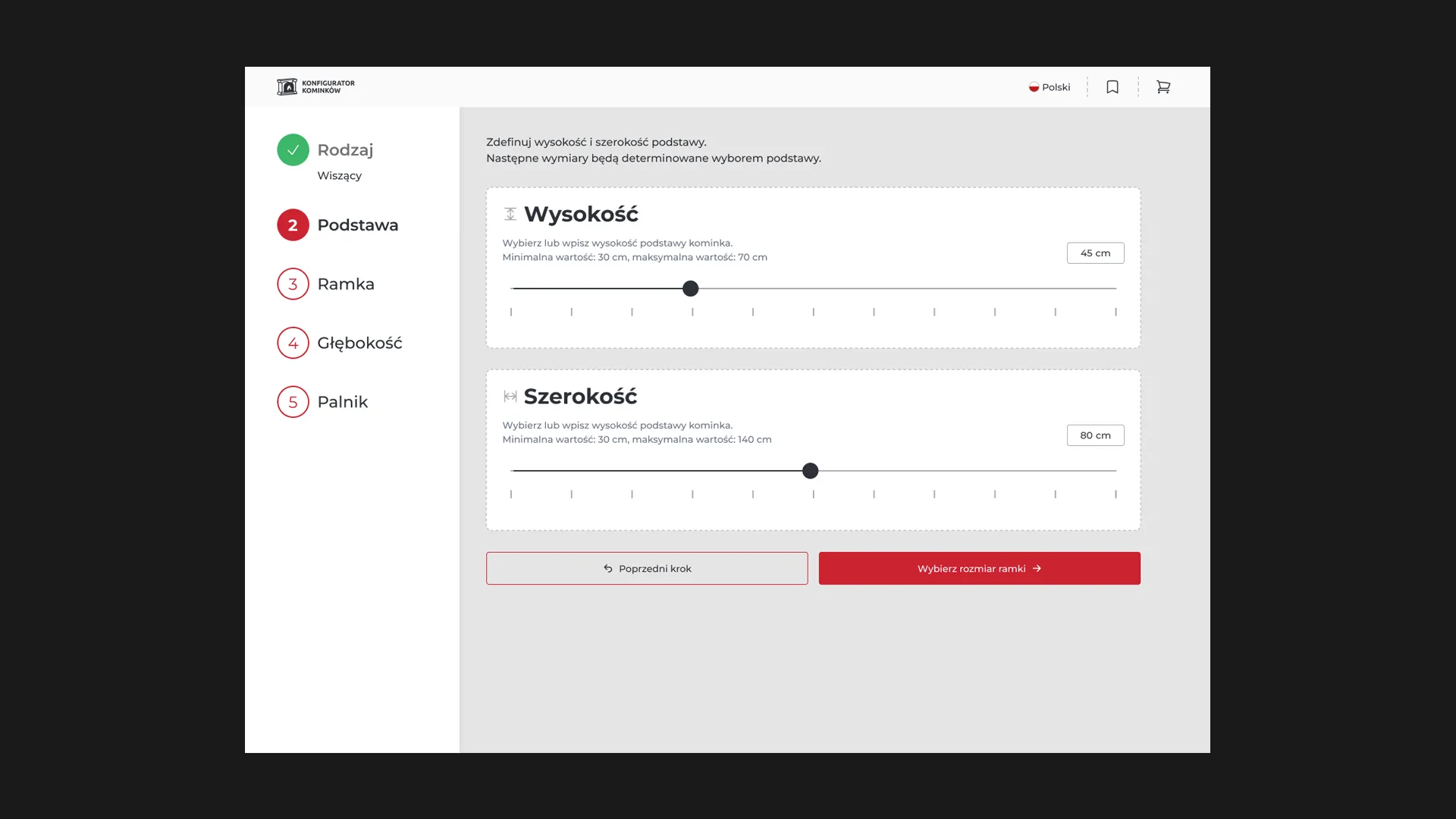
Configuration Success: Wizard
Informal office testing (n=12) — directional signal, not statistically significant.
API Cost Optimization
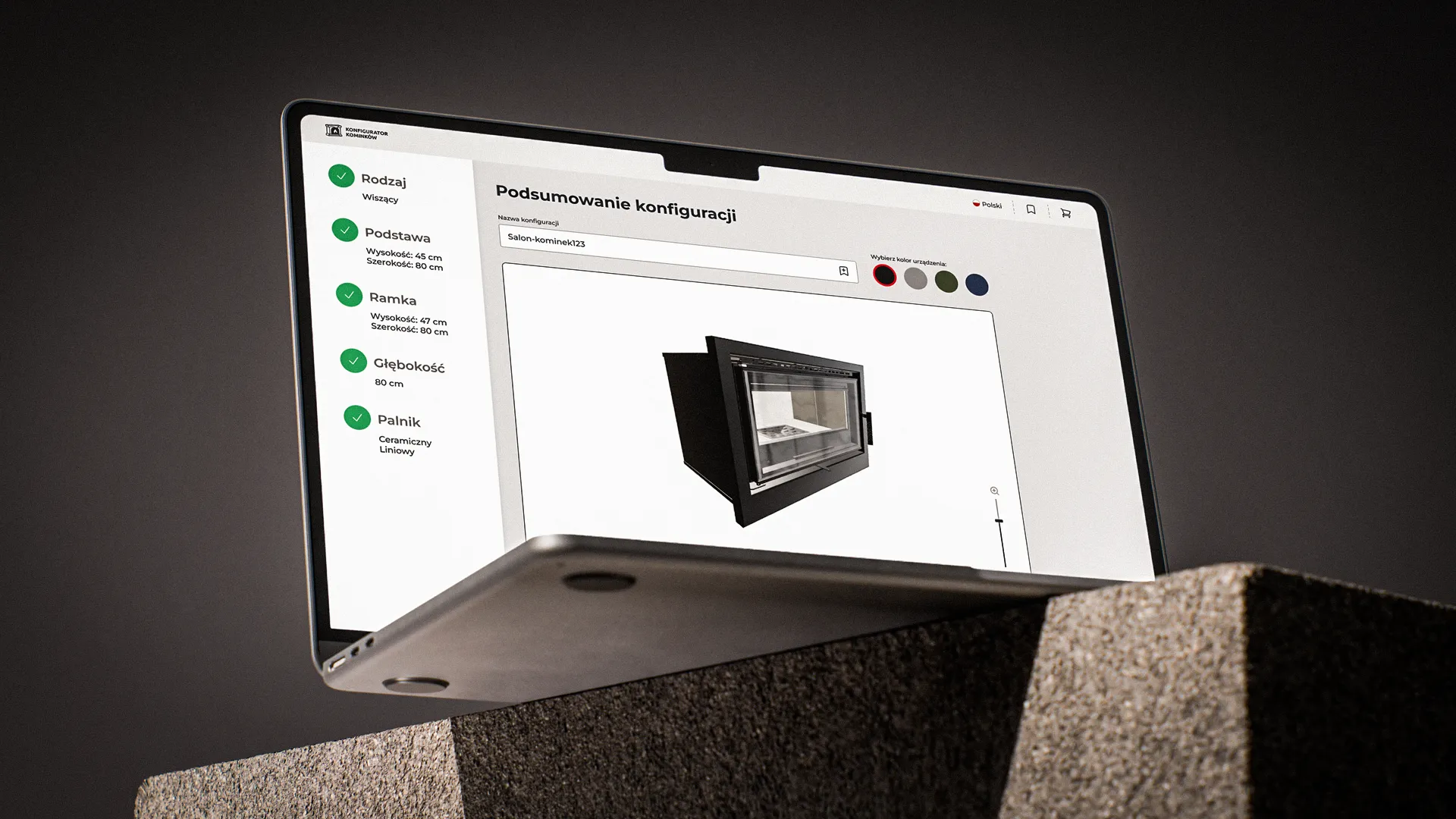
To avoid high Autodesk API costs, I implemented a "Delayed Rendering" strategy:
One-Time 3D Generation: Instead of rendering changes live, the system calls the API only after the user confirms their final selection in the wizard.
Separating Geometry and Appearance: Geometry (API): Generates the 3D model skeleton.
Appearance (Frontend): Color, texture, and finish are applied instantly by the browser.
Designed to reduce API calls — not yet validated in production due to project discontinuation.
The Optimized User Journey
To ensure a smooth transition from data input to visual results, the user flow was simplified into a clear, linear path:
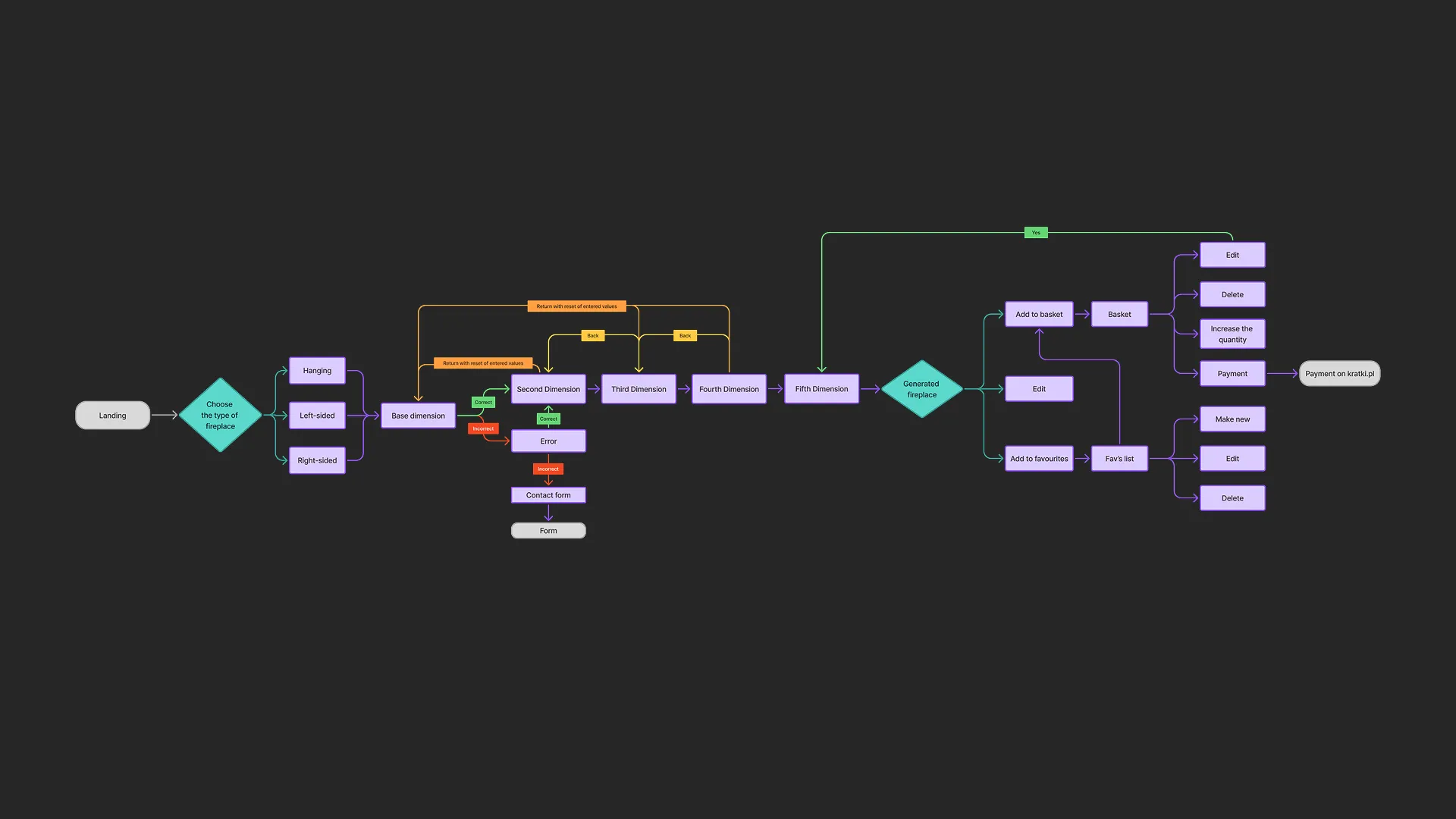
Step 1–5: User follows the guided engineering steps (Wizard).
Approval: User confirms the final technical setup.
API Trigger: System generates the specific 3D geometry.
Live Polish: User sees the final product and adjusts visual details (e.g., colors) with zero latency.
Design System & Brand Integration
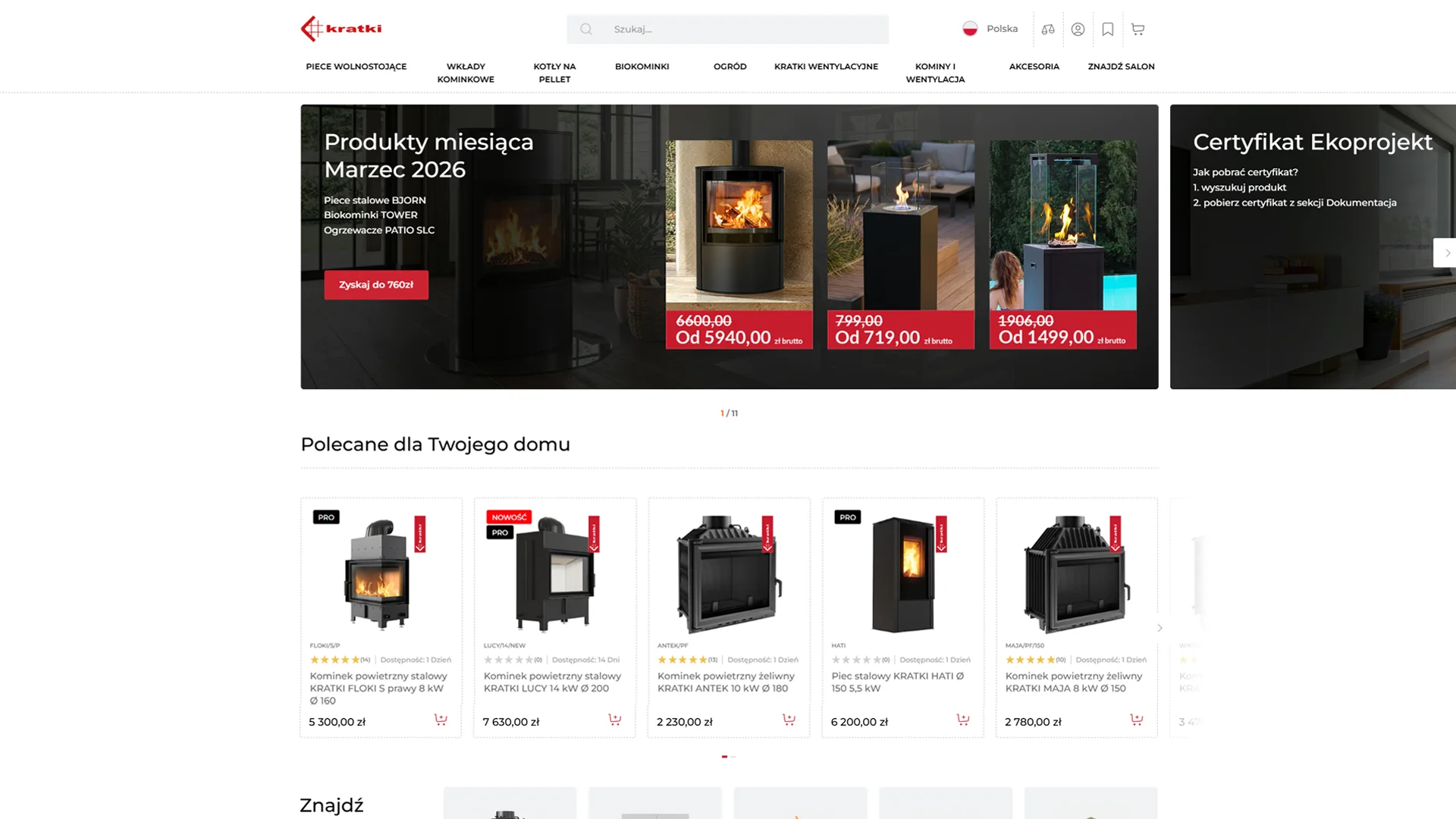
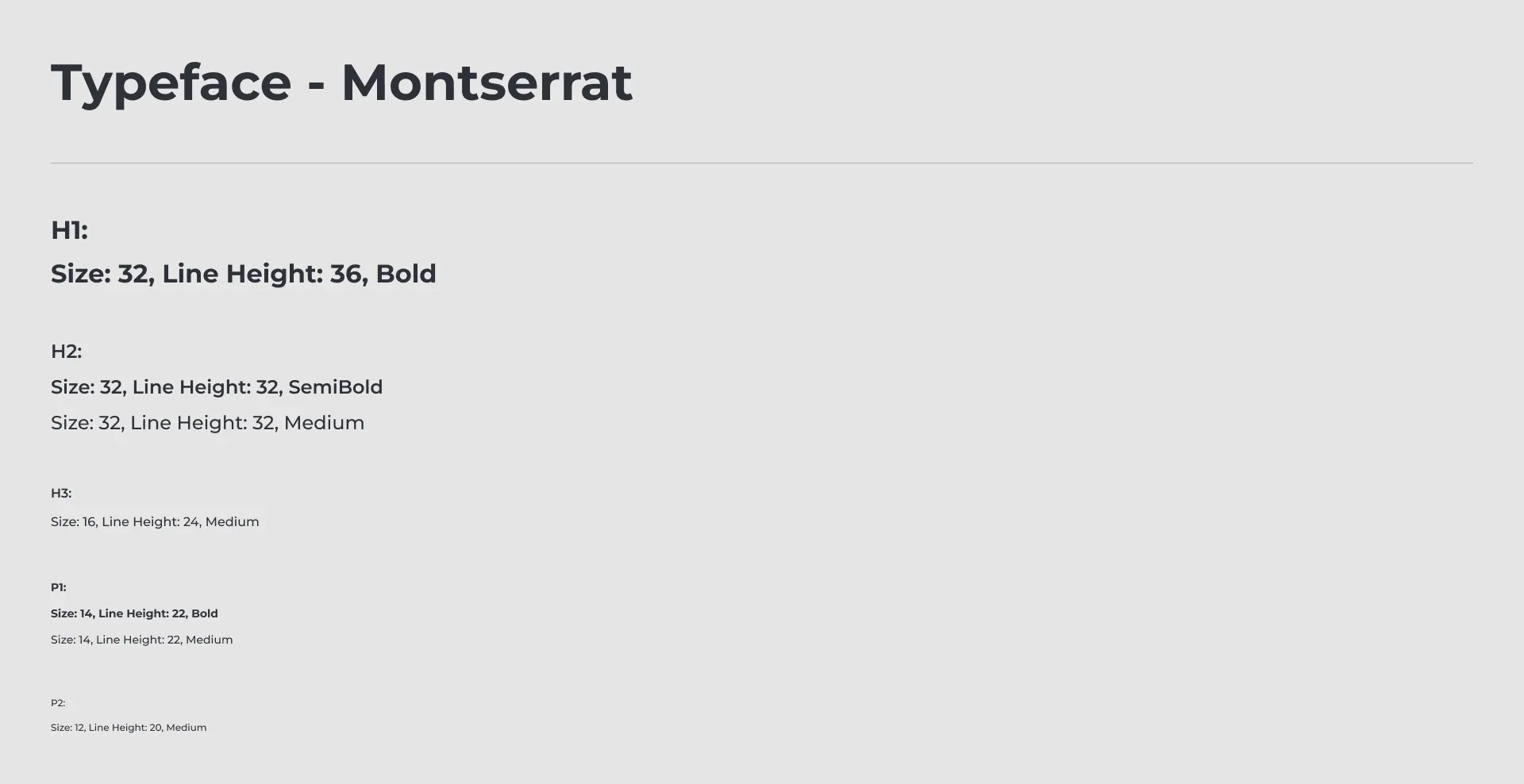
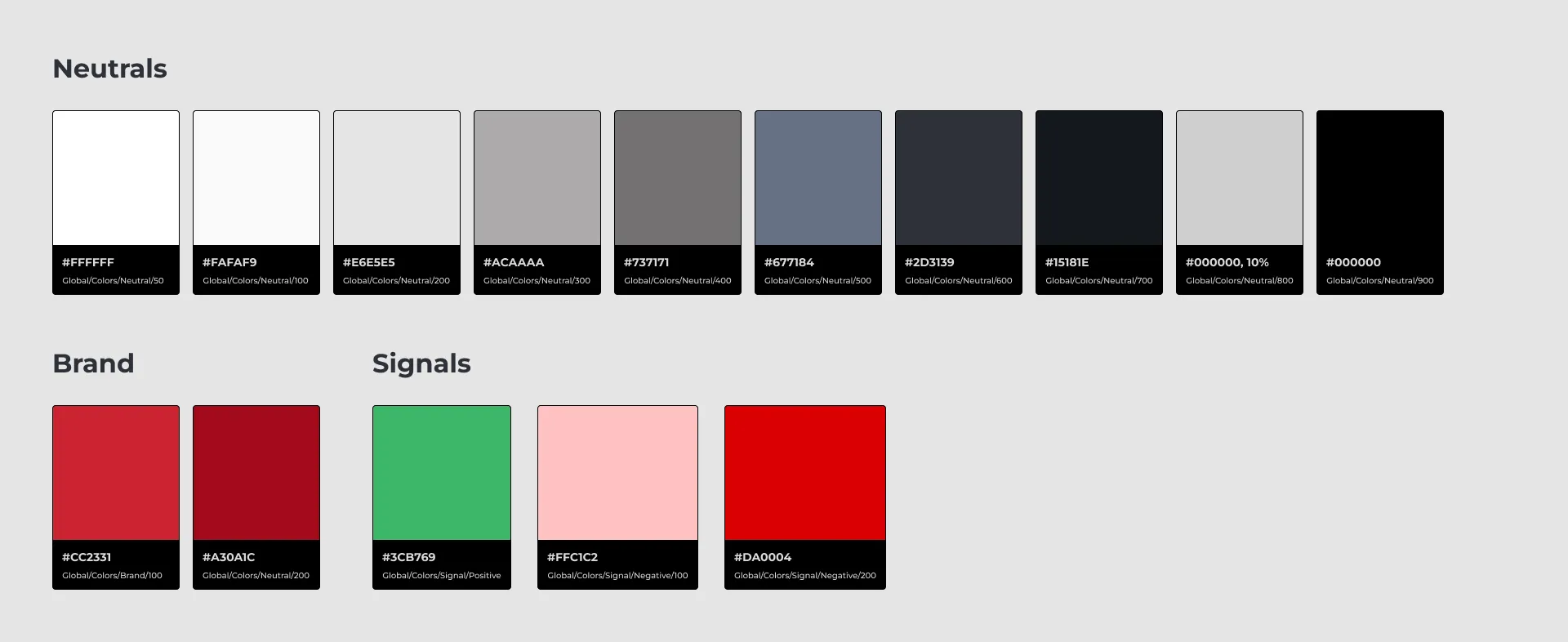
A scalable UI kit inheriting the parent brand's visual language. By standardizing typography and color palettes, I ensured a seamless transition between the core e-commerce platform and the custom configurator.
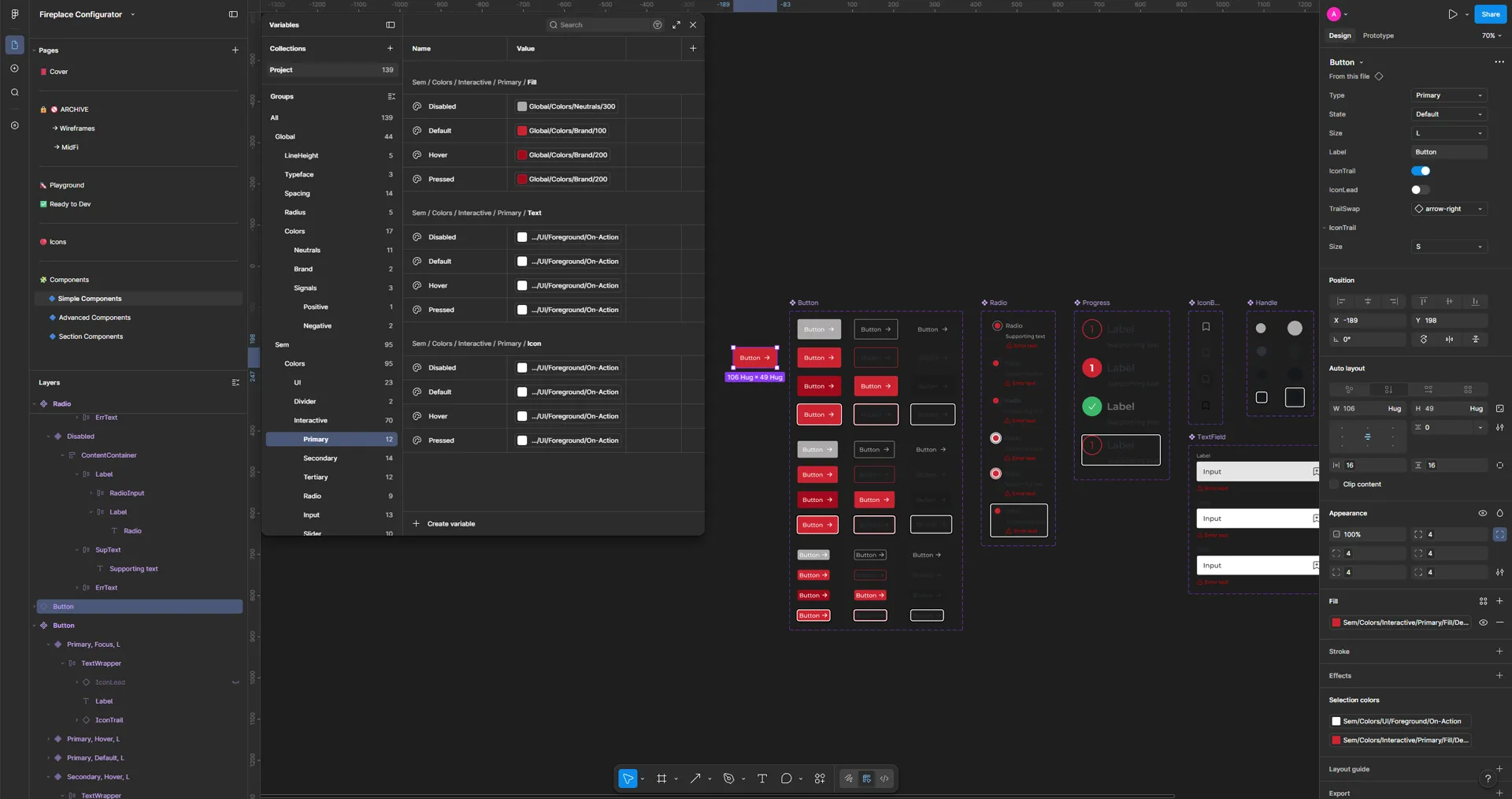
Component Architecture & UI Anatomy
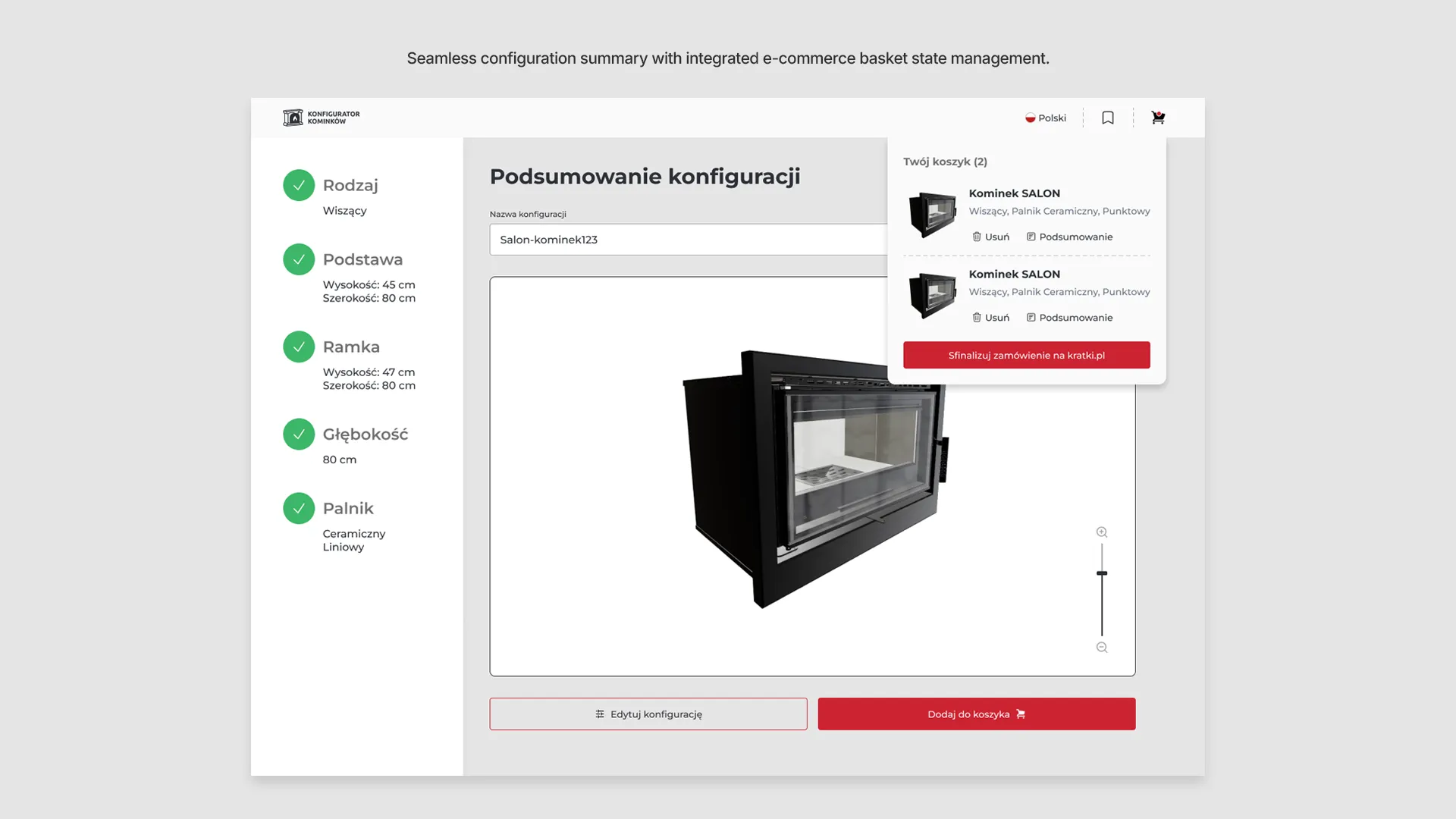
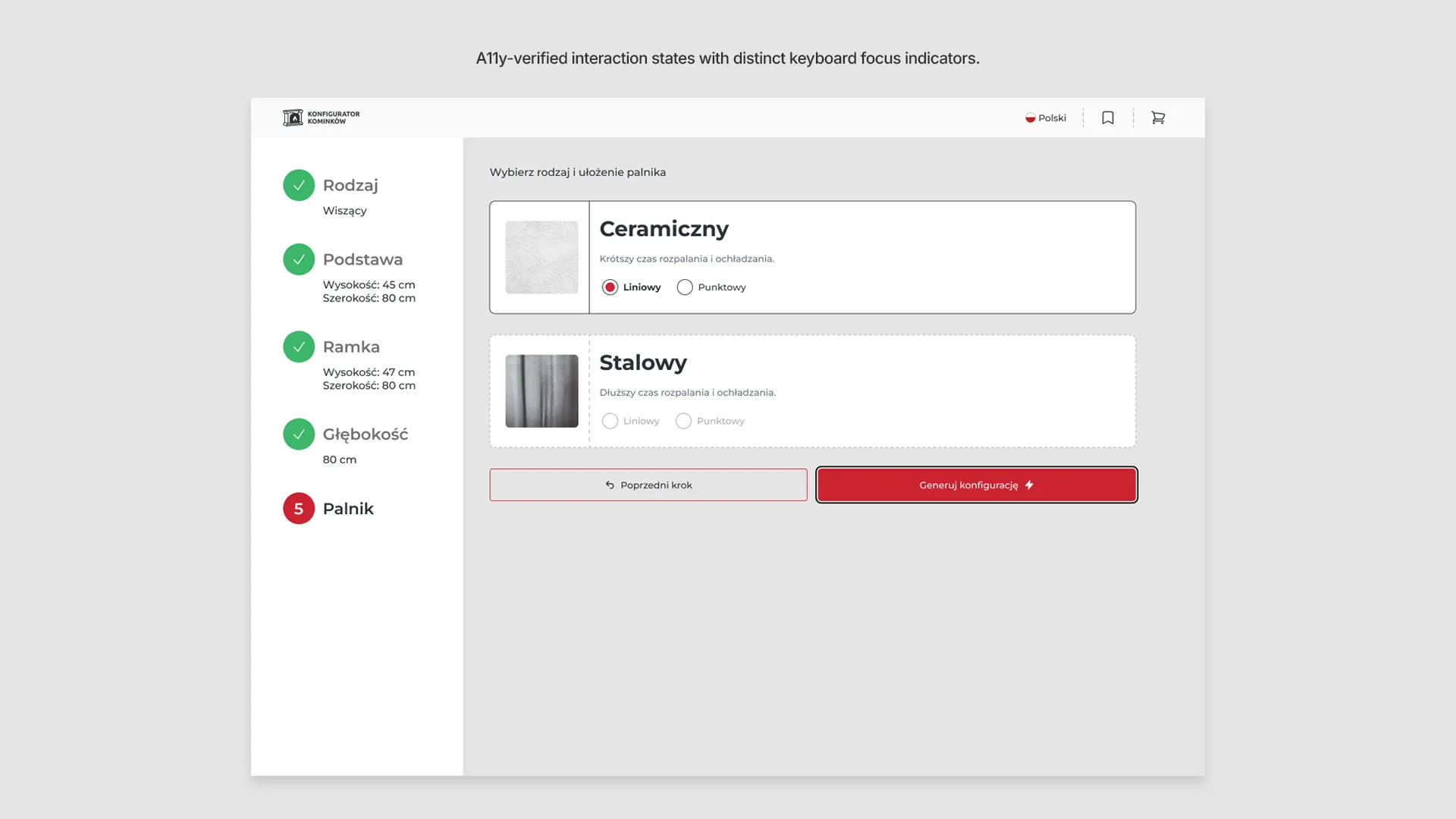
Modular, auto-layout driven Figma components with strictly defined interaction states. The interface combines precise numerical inputs with tactile sliders, accommodating both expert users and casual shoppers while ensuring seamless developer hand-off.
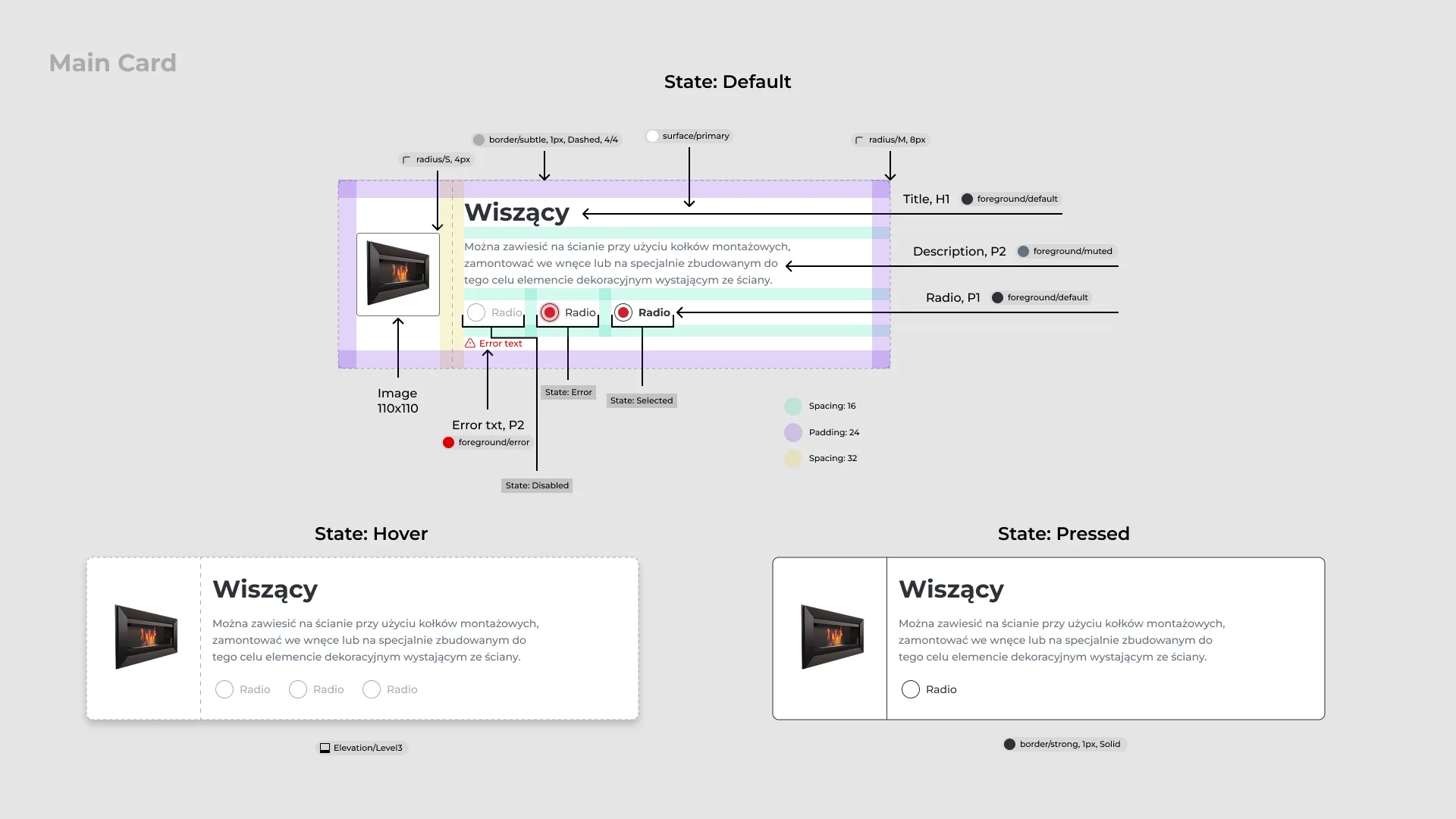
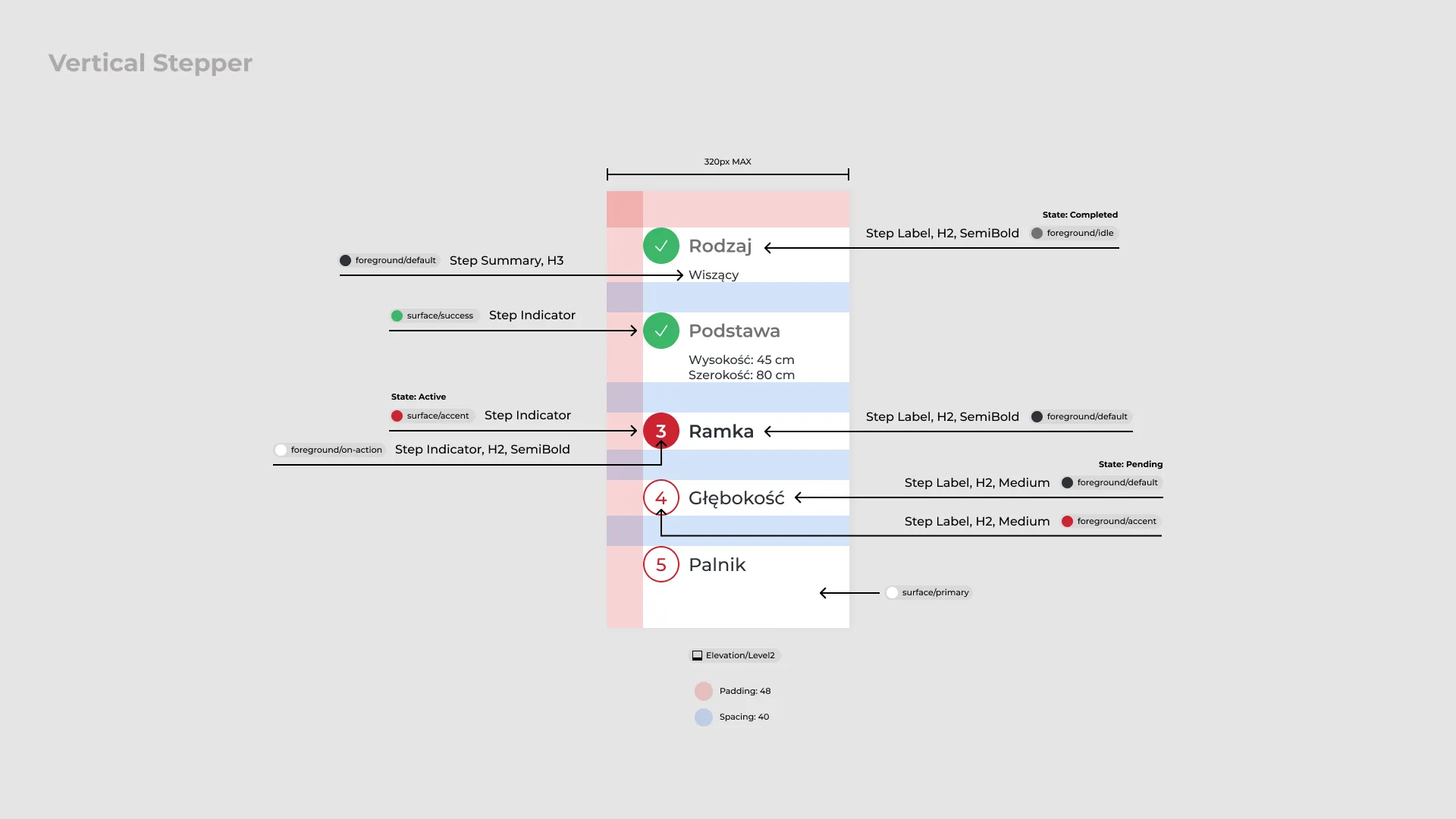
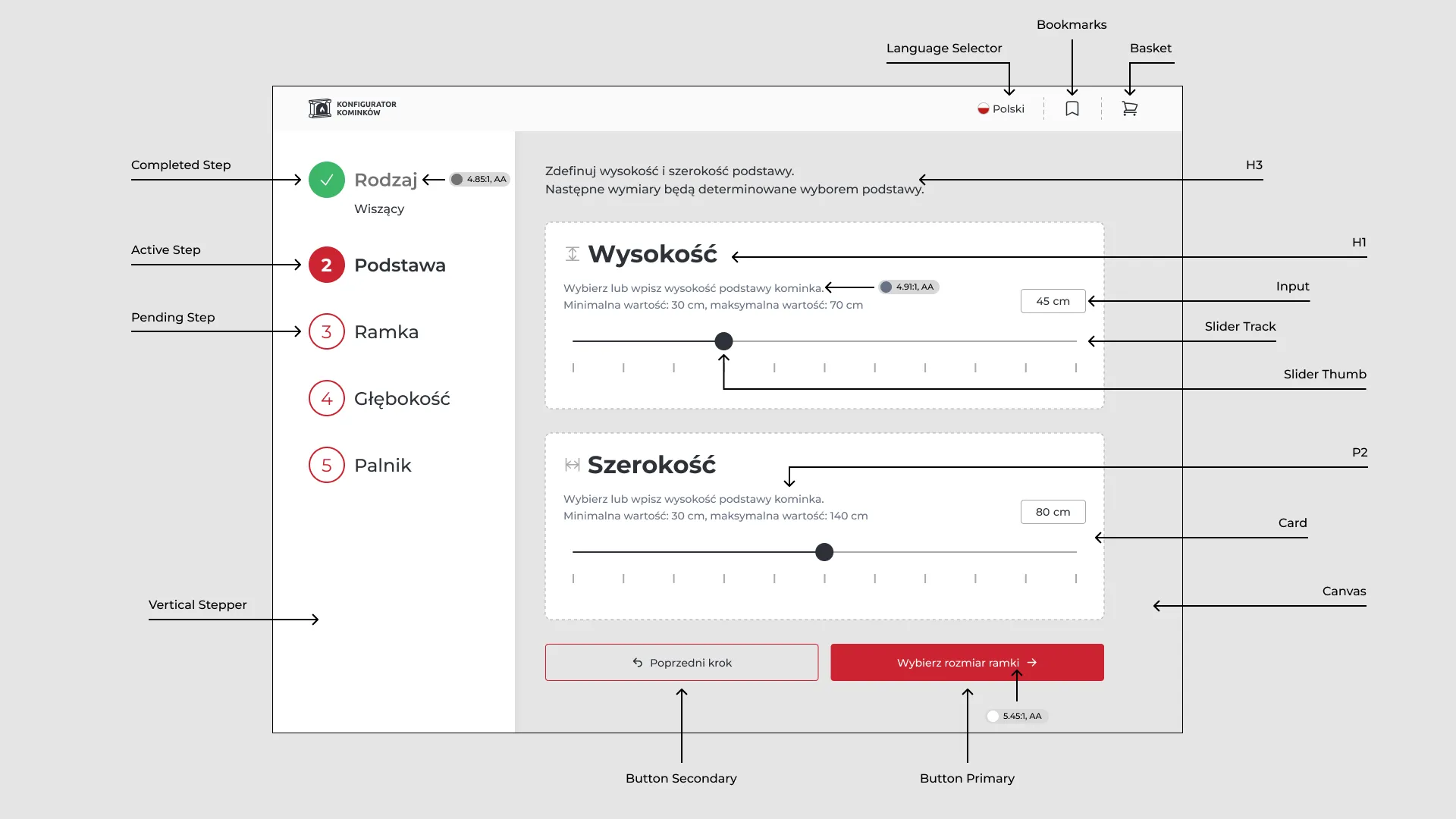
System States & Edge Cases
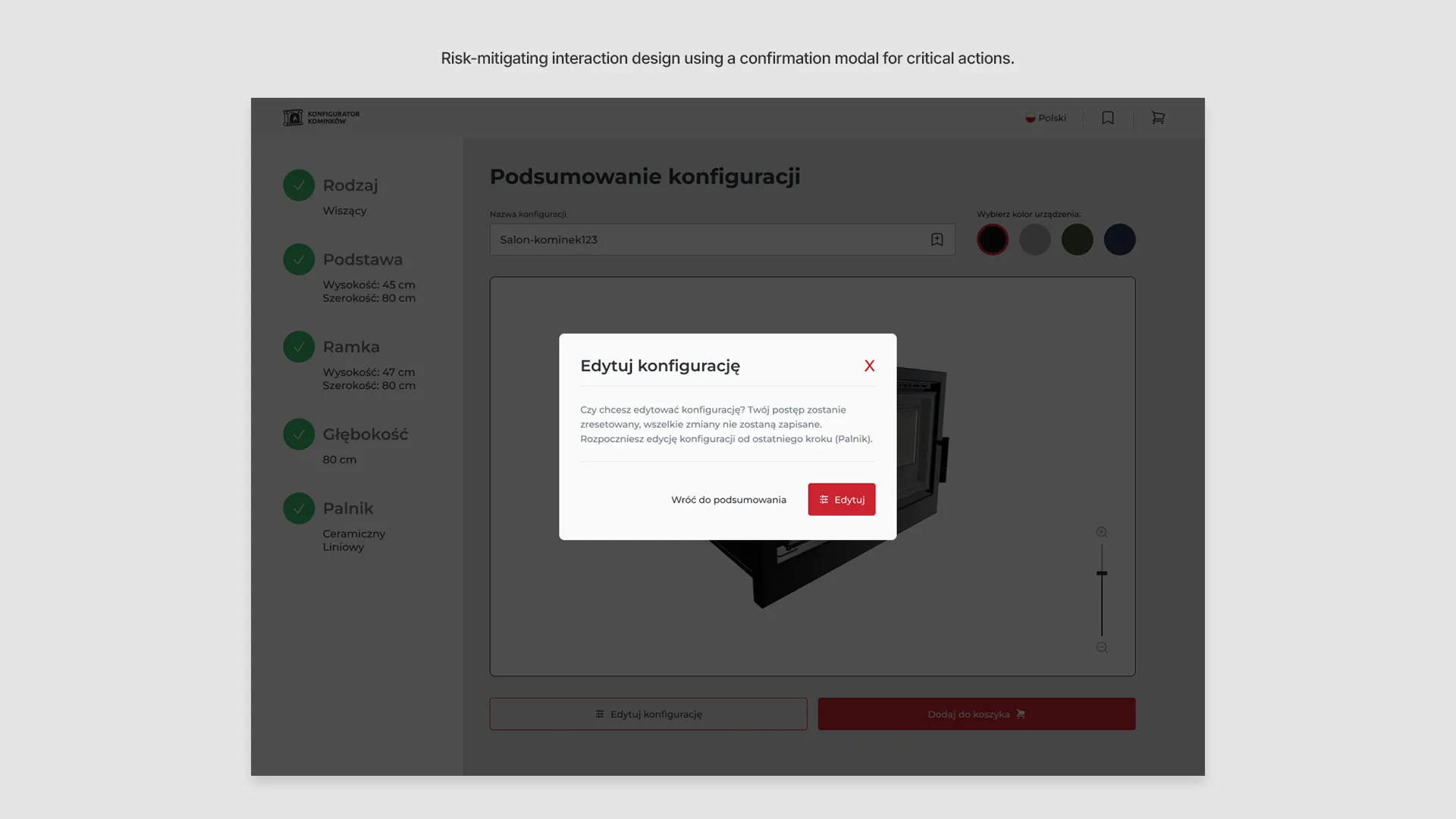
Detailed implementation of real-time validation, accessibility (A11y) focus indicators, and confirmation modals. These states manage non-linear user flows and enforce technical constraints to prevent invalid configurations and manufacturing errors.
Project Outcome & Status
The project reached full technical readiness but was ultimately paused as company priorities shifted toward marketplace expansion.
Designed to reduce Autodesk API requests by 70–80% compared to standard live-preview solutions.
Integrated logic blocks the configuration of non-producible products, eliminating manufacturing errors.
Used progressive disclosure to break down a chaotic configuration process into manageable steps.
Guaranteed that every custom design is 100% feasible and ready for the production line.